Free plan · $0 a month
Free online booking for your small business
A booking page customers can use even if you don't have a website, email confirmations and reminders, and a client list that stays yours. Free is $0 a month for up to 2 team members at 1 location, with no card or payment processor needed to start.
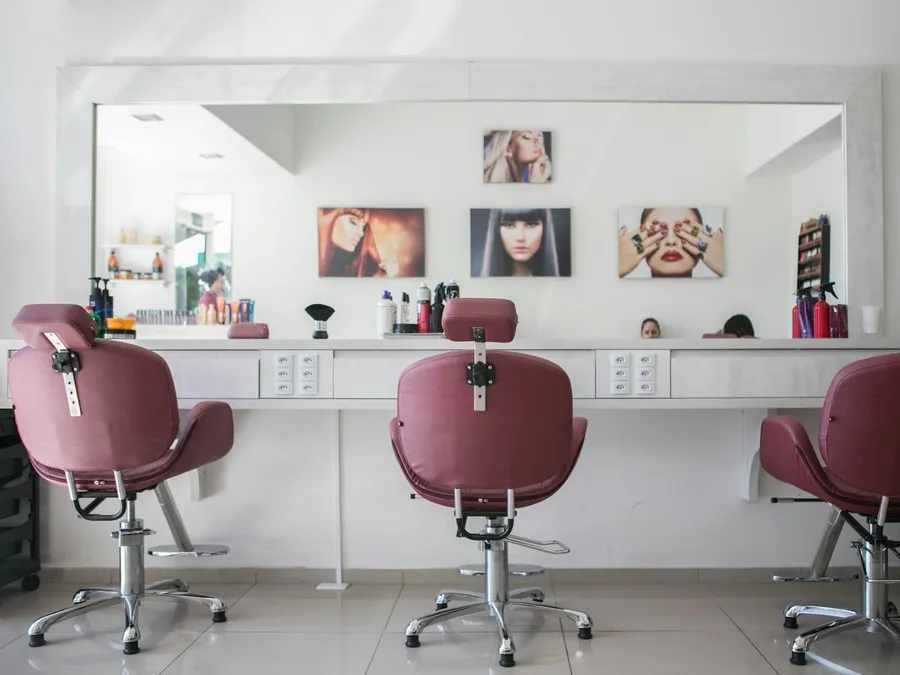
See what your finished booking page looks like
This is an example Timzen booking page. Marigold Row Salon is a made-up business, so you can see the finished product before you set up your own.
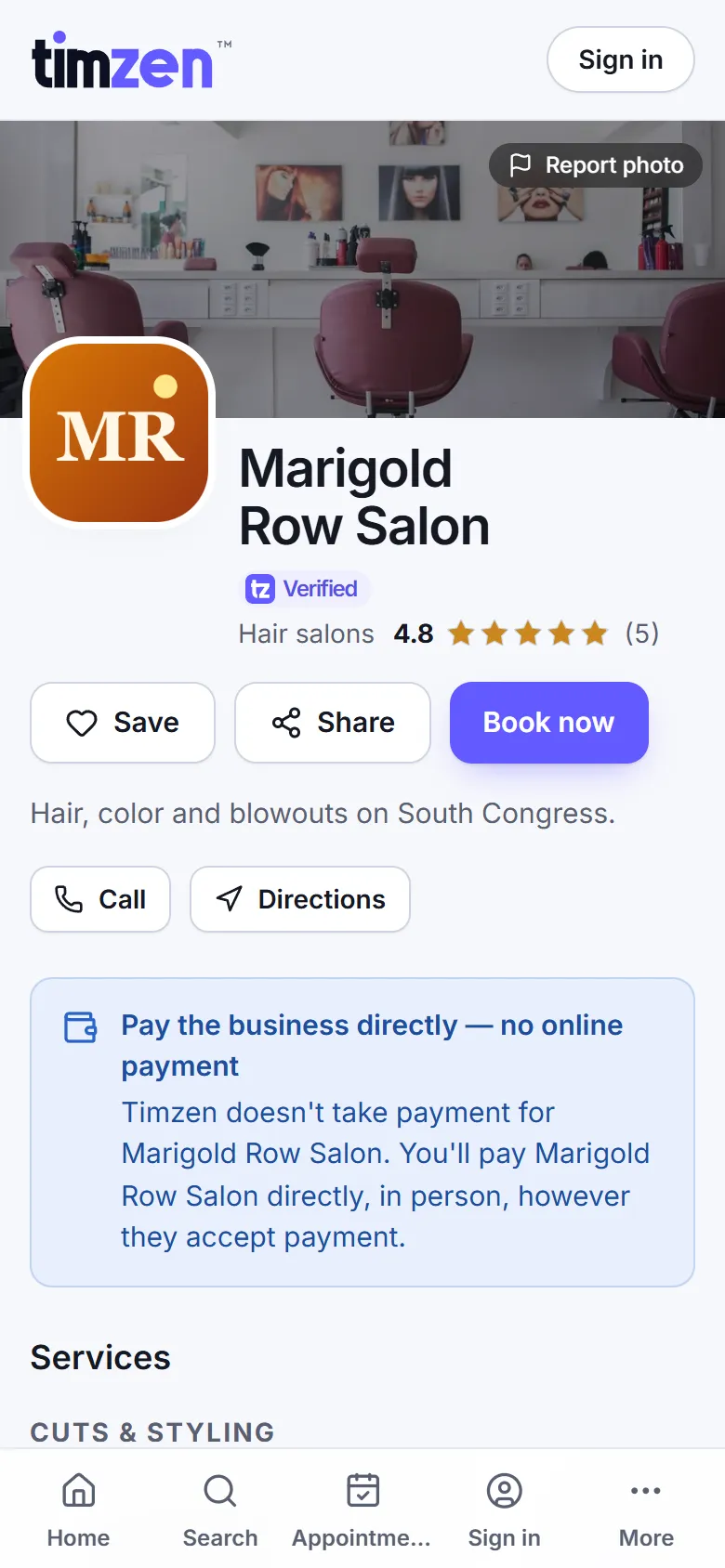
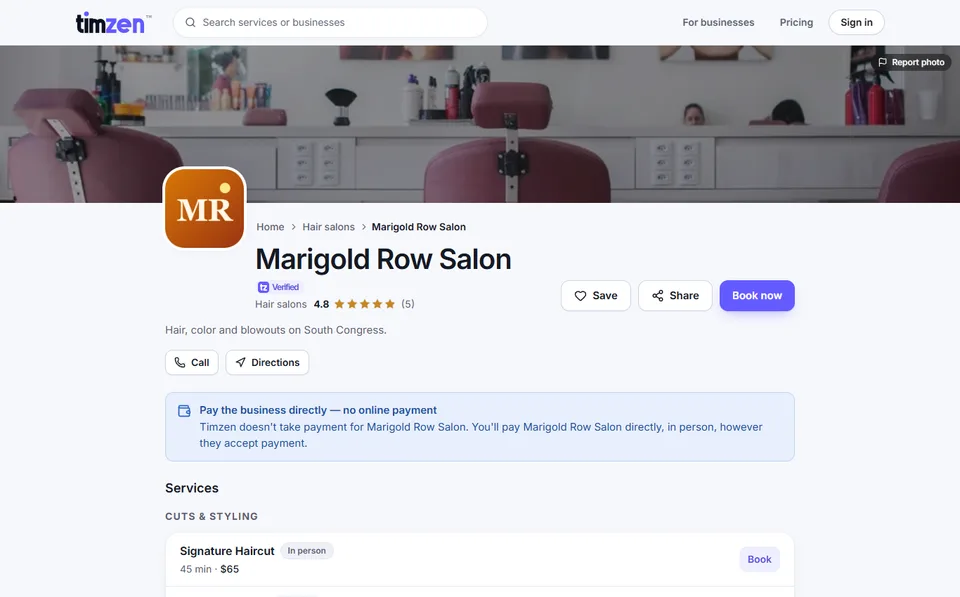
Everything your booking page comes with
No add-ons to hunt for — this is what every plan starts with.
Your own booking link
A booking page at your own link for your Instagram or Facebook bio and your Google Business Profile, plus a Book now button or booking widget for your website.
One calendar for the whole team
Every appointment in one calendar on your phone or computer, with each team member's bookings side by side, and each team member can sign in to see their own schedule. From the Team plan ($29 a month), it runs on a front-desk tablet too.
A client list you own
Every booking builds your own client history — contact info, visit history, notes. It's yours, not locked inside someone else's app.
Email confirmations & reminders
Customers get an automatic confirmation when they book and a reminder about 24 hours before the visit (bookings made less than about a day ahead get the confirmation only), so you spend less time chasing no-shows.
Verified reviews
Only customers with a completed visit can leave a review, and you can reply to every one. No fake reviews, ever.
Listed in the Timzen directory
Customers searching your service or area nearby can find and book you directly, at no extra cost.
No commission, ever
We don't touch your money. Clients pay you in person, however you already accept payment.
Installable app
Your booking page installs like an app on a customer's phone, and on your own phone. On the Team plan and up ($29 a month) it installs on a front-desk tablet too.
How it works
Sign up in a few minutes, or let us set it up with you.
Step 1: Tell us about your business
Fill in the short form below. Every business starts on Free: no card needed.
Step 2: Confirm your email
We email you a link to confirm your address. There is nothing to pay, and paid plans with more room are coming soon.
Step 3: Set up and go live
Add your hours, services and team, then share your link, QR code or website button. Want help? We'll set it up with you and import your client list.
Built for every kind of appointment business
Salons and barbers to plumbers, cleaners, trainers, tutors and consultants, and restaurants, event venues and caterers that take reservations — Timzen fits the business, not the other way around.
Beauty & wellness
Home services & trades
Fitness & coaching
Lessons & tutoring
Events & creative
Professional services
Other services
Pricing
Start free today. Paid plans with more room are coming soon.
Paid plans are coming soon. Start free today; nothing to pay.
Team
$29/month
- Up to 5 team members
- 1 location
Growth
$69/month
- Up to 10 team members
- 3 locations
Business Plus
$129/month
- Up to 15 team members
- 5 locations
Frequently asked questions
Is the Free plan really $0?
Yes. Today, Free is $0 a month for up to 2 team members at 1 location. You don't enter a card, and there is nothing to pay. Paid plans are coming soon.
What does the Free plan include?
Up to 2 team members at 1 location, with: online booking page; link, QR code & website embed; calendar & appointments; customer list; email confirmations & reminders; listed in the directory; verified reviews; import & export customers; installable app; basic reports. Pricing compares it with every paid plan.
Can customers book me if I don't have a website?
Yes. Your booking page has its own link, so customers can book you even without a website. Share it on Instagram, Facebook, your Google Business Profile, a QR code or a text message. Already have a website? Add a Book now button or embed the booking page on it.
Can a restaurant, event venue or caterer use it?
Yes. Choose Restaurant, café & bar, Event venue & party hall or Catering when you sign up, and it is all on the Free plan. A restaurant takes table reservations by party size, against the seats and tables you set, and gets a Tonight screen for the host stand. A venue or caterer takes event requests that you accept, with a note or quote of your own. Your page gets a Menu tab with your menu link or photos, and your cuisine and price range. Guests pay you directly, the way they do today.
Can I sign myself up?
Yes. Any business can sign itself up on the Free plan: choose Free, fill out the form below and confirm your email. No card is needed, and there is no payment processor to connect. Paid plans are coming soon. For now every business starts on Free, with nothing to pay.
Do I need a card or a payment processor?
No. Free needs no card, and you don't connect a payment processor to take bookings: customers pay you directly, however you take payment today. Paid plans are coming soon. When they open, a card will only be asked for on Square's own page.
Can I add appointments myself?
Yes. Add walk-ins and phone bookings yourself, straight onto your calendar, next to the appointments customers book online.
Does it send reminders?
Yes, by email. Customers get an email when they book, a reminder about 24 hours before the visit (bookings made less than about a day ahead get the confirmation only), and an email if it is moved or cancelled.
Can it send text messages (SMS)?
Not yet. Timzen sends confirmations and reminders by email today. Text-message (SMS) reminders are not available.
Is there an app for iPhone or Android?
Customers don't need an app: your booking page works in any browser. There is no app-store app yet, but Timzen can sit on a phone's home screen like one, for you and your customers. On iPhone, open the page in Safari, tap Share, then choose Add to Home Screen. On Android, open it in Chrome, tap the menu (three dots), then choose Install app or Add to Home screen.
Can customers cancel or reschedule?
Yes. The confirmation email has a link to reschedule or cancel, up until the notice window you set, and customers with an account can do the same in My appointments. You can move or cancel any appointment from your calendar.
Can I import and export my clients?
Yes. Import your client list from a spreadsheet (CSV) in Settings, or send it to us and we'll import it for you, so their history isn't lost. You can export your customer list to a CSV file at any time: it's your data.
Do you take a cut of my bookings?
No. There's no commission and no per-booking fee. Clients pay you directly, in person, however you already accept payment. You pay nothing on the Free plan, or a flat monthly plan billed by Timzen through Square.
Can customers pay online?
Not in Timzen today — every booking is paid to the business directly, the way you already take payment. Customers see that clearly before they book.
What happens to reviews I don't like?
You can publicly reply to any review, but you can't edit or delete it — every review comes from a real, completed visit, so customers can trust what they read.
Is Timzen ready to use?
Yes, it's live at timzen.app and you can start on Free today. Timzen is also new and actively improving, so features are added and fixed often, and you can send us a message with the Feedback link at the bottom of each page. While you settle in, keep your usual backup for the appointments that matter most.
Questions owners ask
Short answers, with the step-by-step in the help center. Anything else? Email the Timzen team at info@adwebdesignny.com.
- Do my customers need an account to book?
- Yes, a free one, with no extra step. A new customer types their name and email and presses Book now: the account is made as they book, and we email them a link to confirm the address. Returning customers sign in with a 6-digit code sent to their email, or continue with Google. There is no password to make up. That way every online booking belongs to a customer account (no anonymous bookings), each customer keeps one record with you, and you can see when someone hasn't confirmed their email yet. More about customer accounts.
- Will I end up with duplicate customer records?
- No. Each customer has one record in your business. When someone books online, it goes on the record you already have for them (matched on their confirmed email) instead of a second copy. A booking made before they confirm their email shows "Email not confirmed yet" and joins your record once they confirm. Your private notes about a customer stay private: the customer never sees them. How records stay in sync.
- Where do I get my booking link, QR poster and website button?
- In Settings → Share & embed: your link (for your Instagram or Facebook bio, your Google Business Profile or a text to a client), a QR code with a printable poster, and a Book now button or inline widget for Wix, Squarespace, WordPress or Linktree, with step-by-step guides. How customers find and book you.
- Where do I set services, hours, closed dates and my cancellation window?
- Services on the Services page; hours and closed dates on your location (Locations); booking rules, including the cancellation window and your booking policy, in Settings → Booking rules. Step by step.
- What's on the Free plan, and what needs a paid plan?
- Free includes online booking page, link, QR code & website embed, calendar & appointments, customer list, email confirmations & reminders, listed in the directory, verified reviews, import & export customers, installable app and basic reports. Waitlists and repeating appointments start on the Team plan; group classes, packages and memberships start on the Growth plan. Paid plans are coming soon. Start free today; nothing to pay. Compare every plan.
- How do I close my business and delete its data?
- Email the Timzen team at info@adwebdesignny.com from the owner's email address and ask for the business to be closed. We close it and delete its data within 30 days. What to download first.
Tell us about your business
Start free in a few minutes, or ask us to set up your Timzen booking page with you.